Showing posts with label UAEdtech. Show all posts

Wednesday, April 6, 2016

Week 11. Blended Learning

  • In what ways have we used blended learning effectively in THIS CLASS? In what ways has our blended learning approach been ineffective in THIS CLASS?
  • What is your philosophy on blended learning? 
  • What was the most striking thing you took away from Stacy's presentation? How will it impact your own learning?
  • Self-selected topic related to Stacy's presentation.
I would completely agree that we have used blended learning effectively throughout this course. I learned about the endless amount of technology, apps, cool tools, and etc. Before this class, I never knew technology could be integrated this much and  be this effective. This class also showed me how to relate material I have learned to my future classroom. This class allows for flexibility as well and it is easy to review or go back and read or re-watch a video if necessary.
I have taken a few online courses so I knew somewhat what to expect and how to do it. I can see why some student could have the potential to struggle though if they have never taken an online course. It takes time to learn and remember to log on and complete assignments. 

I think blended learning, in my opinion, is one of the best ways to teach and integrate into a classroom. It meets the needs of different types of students with differentiated instruction. If you're more of a face-to-face student, you have the option. Like stated above, I love the fact that I can go back and reread or rewind a video if I have to. Everything I have is right in from of me and is easy accessed. Like I've mentioned in previous blogs, it is so important to meet the needs of many students and I believe blended learning offers that. 

I never knew how many students actually used online classes only. She showed us pictures of states and which states have what pertaining to online and it really surprised me. I was also surprised to see that Ohio had a high number of online schools. 


Stacy Hawthorne talked about how a lot of teachers lean towards a station rotation model for their own classrooms. The model she used was so useful and talked about all the different types/models of classroom. I never knew there was much more than traditional or online. For example there is rotation, flex, self-blend, and enriched-virtual. 

Sunday, April 3, 2016

Major Project

This week for my yoga handstand, I decided to try two different methods. The first method, instead of using my feet to balance against the wall I used my head. This way was a little bit more complicated and I had to use my core a lot more but it was a big step. In last weeks blog post, I posted a video where a guy demonstrated these two methods.


The second method that I tested out was even harder. I faced the wall and would keep one foot against the wall while I straightened the second leg above me. I was further away from the wall so it was harder to balance and I could only keep both legs up for a few seconds.

Again, I used Canv, as my cool tool review.

Monday, March 14, 2016

Week 9 Learning Spaces

  • How can space (“learning space”) encourage student engagement and learning?
  • What role can Google Apps for Education (GAFE) play in the development of learning spaces?
  • What assumptions should we challenge as we design learning spaces for the future? 
  • How does The University of Akron's campus currently approach the design and development of informal learning spaces?
  • How well do the informal learning spaces on UA campus align with your needs and expectations as a learner? 


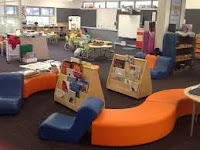
Learning spaces, I believe, is just as important, or should be just as important as the content they are learning. A bad learning space can greatly disable a student from learning what they need to be learning. After reading this Article, I have seen just how many design elements that should be incorporated into the 21st century classroom. To begin, the furniture should be able to accommodate numerous learners as well as be repositioned for independent learners. Another thing is that not all students have their iPads or laptops ready, so make sure that the classroom is able to recharge what they need to engage classroom activity. Third, make sure the teacher has access to technology and are smart enough to lecture and teach. Lighting is also important, either dimming or enhancing it is imperative, also to accommodate students in the front of the classroom as well as the back. Another is having physical space beyond just one classroom, and lastly has fewer expansive gatherings. As a future teacher, it is important that make the bet possible classroom setting to engage my students thoroughly. This video, shows just how helpful a classroom setting is to learn. 

Google Apps tremendously help the development of learning spaces. It helps encourage differentiated instruction, especially with more students becoming engaged in online courses and technology in general. On top of that, it helps peers connect with their teachers, as well as each other. It creates more creativity and ideas and helps a classroom develop technologically. 

The biggest assumption  that should be made is that a certain classroom benefits every student. Everyone learns in a different way or setting, so making sure that the teacher knows how each student learns is important. Another assumption is that a physical classroom is the best way to learn. In today's world, especially pertaining to this class, learning is literally everywhere and can happen anywhere and anytime. 

From what I have seen and noticed, The University Of Akron's campus has been making the learning spaces more informal and diverse. No two classrooms are the same. The desks and chairs are always different, the setting is different, and the way my teacher's present their lesson is even different. Even the lounges or hang out places are different. Some have couches, some with high chairs, low chairs, chairs that lean back, etc. The library as an endless amount of learning spaces. They have dividers between desks, small rooms to meet up with groups, couches, individual desks, long and short tables, and in almost every space they have outlets to plug in devices. 

Some classes I learn better in. For example, my one class has just a long row of connected desks with soft chairs, but I have a hard time paying attention and I do not have much room to put my belongings and the desks behind me are so close. It's also hard to communicate with my classmates. The classrooms I learn best in are the ones with a few desks together, so I'm only sitting my two or three other people and I focus so much better and can collaborate with my neighbors more easily. Akron for the most part, has great informal learning spaces because of the many options and really meets my needs as a student. 


Sunday, March 13, 2016

Cool Tool 5

My final cool tool is called Explain Everything Interactive Whiteboard. This app is an interactive whiteboard app that uses videos, pictures, audio, and much much more. You can record a presentation  and show everything that happens on the screen and also has a feature that uses user interface, standard or simple, so even my young first or second graders can easily use it themselves. You could instantly access files on iCloud and other streaming services and can easily be exported. Watch this if you want to see how a presentation can be made (Whiteboard example). The only downside is that it cost $3.99 in the iTunes app store, but I do believe it is well worth it. It can also be accessed free through windows microsoft https://www.microsoft.com/en-us/store/apps/explain-everything-interactive-whiteboard/9nblggh5gcw8 .
This app can..
  • Add new or existing photos, videos and PDF files
  • Use a variety of tools to edit and annotate
  • Record and playback all actions
  • EExport MP4 movies, PNG images and editable .explain project files directly from your tablet / PC.
  • Import files from Dropbox and OneDrive
  • Export projects to Explain Everything™ Discover, a content portal for sharing, publishing, and downloading editable project files

This app is great for any age, especially my young students. They can create a project about a certain subject like planets (pictured below), or animals, etc. After creating a presentation they can show their classmates and share what they've learned. It can challenge students to use their creativity because they have an endless amount of resources due to it easily connecting to the internet. 


Monday, March 7, 2016

Major Project--Yoga Handstand

Growing up, I have always been into sports and super active, and I have always wanted to learn yoga. Last year, I went to a few classes with my brother and absolutely loved it. Although I do not do it daily, it is something I want to get better at. I started following certain accounts on Instagram, and I love watching their videos, especially the ones they are doing controlled handstands/headstands and it really motivated me to try it out myself. I started attempting headstands over Christmas break. After looking up ways to start, I decided I would try out using my arms and head and work my way up to a handstand. I went to Florida over break so I decided to try it out on the beach,


and as you can see, I struggled a bit, but eventually I got it without the help of a wall to lean against. When I got home, I finally could do it without the help of a wall and I could hold it for a while.
( I made these images on Canva)


Last week, I talked to a yoga instructor back home and she gave me some pointers. I will continue to work on my headstands and handstands over the next few weeks, and hopefully when the project is done, I can do a controlled handstand with as little help as possible from a wall. My next step is doing a handstand, without putting my arms on the ground and only using my hands and a wall.

eBooks

  • How did/do you see the use of ebooks impacting the writing process? How will that affect students? How will it effect your teaching?
  • What benefits do you see to using student created ebooks in the classroom? How do you see them fitting in your future classroom? What main considerations will you need to make to use them effectively?
  • What was the most striking thing you took away from Jon's presentation? How will it impact your own learning?


After viewing Jon Smiths video about writing and eBooks, it showed me just how important writing is as well as the how affective eBooks have been in getting students to enjoy writing. I believe it will only positively impact the writing process because it helps allow students to create a book on a personal level and helps with creativity. It is already hard enough to get some students to write about certain ideas, or about things that they do not care or are interested about, so allowing them more range lets them talk about what they care about. eBooks help motivate students and allows them to use their imagination to invent a book the way they want to. As a teacher, it makes it easier to read and grade because my student's are writing about a prompt they want to be writing about and is so much more personal. It also implements technology as well as makes the classroom more exciting and interesting. 

The overall biggest benefit of eBooks is that it helps create students who actually enjoy writing and gives them motivation to do so as well. Another big benefit is that it allows the classroom to be more student lead and gives students opportunities to take charge of their learning experience. After watching his video, I will absolutely implement eBooks into my classroom in some shape or form. His video made it seem like eBooks were so beneficial and only helps students in every aspect of writing. It will allow technology to be implemented as well. First, I want to pick a topic or prompt that majority of my student's want to write about, but also give options to the other students if necessary. 

Like I said earlier, I could not believe how beneficial eBooks were and letting students write about prompts they are interested in is. It was so awesome to see a disabled student working in a normal classroom as well and it was so nice that he made friends with those students. I also never knew how easy it was to publish books to a kindle store and it is so awesome to see students lead a classroom and take charge in their own learning. It creates such a fun and exciting environment for students and it can be used for any subject imaginable. 

Wednesday, March 2, 2016

Fair Use & Copyrights

  • What is your responsibility as a teaher to understand and use images with copyright, public domain, and creative commons licenses?
  • What are our responsibilities to use (and teach students) to select images, text, video, and audio with proper citations?
  • What are the ethical issues around music and movie downloading? How can this be addressed with your students?


Teachers use outside resources and ideas daily that are not their own. Teachers use images, videos, game ideas, lesson plans, worksheets, etc. almost everyday and a lot of the time, they get them from another teacher or online. It is a teachers responsibility to make sure that the content or information they use are correctly cited and sourced. There are endless amounts of sources available to teachers and educators to make sure everything is cited the way it is supposed to be. As a student myself, I have used Purdue Owl, and that is what my past and present teachers have also told me to use. I have been using that since early high school and even use it today as a college student. Because we are teaching students, it is so important that we show and model to them how to correctly cite sources when using images and media with copyrights, public domains, and creative commons licenses. After watching videos about creative commons and copyrights, I saw how daily we use other people's work and saw how they should get credit for all of the hard work they put into it.  

Downloading music and movies illegally is stealing another person's handwork and dedication. It is so ethically wrong, but so many people do it every single day. People work so hard to create movies and music and it is not fair how easy it is to illegally download it. If I worked months or even years on something and someone stole it from me, I would be pretty upset to say the least. I could address this to my students in so many ways. I could have them work on a project for a month and then at the end just take it from them and tell them that I'm taking full credit for it, so they could see first hand how wrong it is and how it feels. Also, we need to educate our students about what could happen if they get caught downloading music/movies for free. As a college student, the consequences of getting caught is enough for me to not do it. http://it.umd.edu/PlayFair/igotcaught.html

Because we are so advanced in technology and only getting more advanced, it is important to teach our students how to give credit while using others images, content, ideas, music, movies, etc. 

Cool Tool Review 3

Can Design/Weather&Seasons
For my next cool tool review, I made a little presentation about different types of weather and the four seasons using a slide show type tool, called Canva.  This tool allows you to find any picture that you want without having to Google them, and endless amount of different fonts, videos, and so on. It's so easy to use, even a first or second grader could make one up themselves. The link above is a simple presentation that I made. I could make up a fun slideshow for my students or even have them make up one themselves and share it with the class. I liked this tool, not only because of the many features, but it helps with creativity and allows you to personalize it exactly the way you want to. When you first start using it shows you step by step and even gives you different presentation examples. The only downside is that certain pictures or features cost $1. Overall, this tool was very useful and I definitely could see myself using this in the future over PowerPoint.


Tuesday, February 23, 2016

  • What does digital citizenship mean to you in your personal life, professional life?
  • Have you ever had your feelings hurt by something shared online? Have you ever hurt anyone else’s feelings? What would you do differently?
  • How might adult concerns and fears about the lurking dangers found online prevent digital citizens from capitalizing on the creative and civic potentials of a participatory culture?
Resources
( https://youtu.be/oCkTmZ0bF5Q and video of Garth Holman and
 his resources: https://docs.google.com/document/d/1BzqJHjI-yxHVaJ_jPioc2rlrYwolAlJj3NdYRIRmvEs/edit )


   " Digital citizenship can be defined as the norms of appropriate, responsible behavior with regard to technology use.   "

Being a digital citizen means participating in the right manner online or in the virtual world. As a digital citizen I must give my thoughts, opinions, my help, as well as encouragement to others. To be a good citizen online, I must use caution before I post and only motivate or share my ideas to others who may be online as well. I want to leave a positive digital footprint and good digital legacy behind, so even when I may not be around anymore, others can still get online and see my thoughts, ideas, or even receive some educational or even personal motivation. 
After reading this website, http://www.digitalcitizenship.net/Nine_Elements.html I learned just exactly what being a digital citizen was and the nine themes that summarizes it.

I have seen first hand how people's feelings can get hurt, including myself, online, especially in middle and high school. I, personally, try to stay away from saying negative things, or getting into fights online because it never solves anything and has never made me feel better about myself. I saw it mostly in high school after big football or basketball games. I have also seen a lot lately of boys bashing girls and girls bashing girls at my previous high school. Now, I just unfollow or unfired anyone that I see is being negative towards others and that is what I should have done long ago. It is so important to be careful and cautious when posting on social media, especially now because so many people have access to it, like school administration and even future employers.  Check this out to see some statistics about cyberbullying -- Cyberbullying statistics
 
Adults should be concerned due to these awful and scary statistics. Because of this, they may want participation to be very limited and small. What they do need to understand is how rewarding and beneficial a digital citizenship can be. I believe they should always be super cautious and put trust in teachers to teach them about online etiquette and cyberbullying because like Holman said, "once its online, it stays there forever."